
EQ Bank has established itself as a noteworthy online banking option over the past few years. Many people are increasingly recognizing EQ Bank’s appealing features, particularly its competitive everyday interest rate of 2.00%*, which stands as one of the most attractive rates available from any financial institution.
In contrast, Tangerine does offer specific promotions that allow customers to earn rates exceeding 2.00%. It’s evident that Canadians are keen to switch their savings to the accounts with the highest yields, leading to a trend of transferring funds to wherever the best rates can be found.
While some might view the effort to pursue marginally higher interest as excessive, seeking the best possible returns is certainly sensible. Interestingly, you can now link your Tangerine account directly to EQ Bank, eliminating the need for a traditional bank as an intermediary. If you haven’t opened an EQ Bank account yet, feel free to utilize my referral link.
Below is a detailed guide to help you connect your Tangerine account with EQ Bank.
Step 1
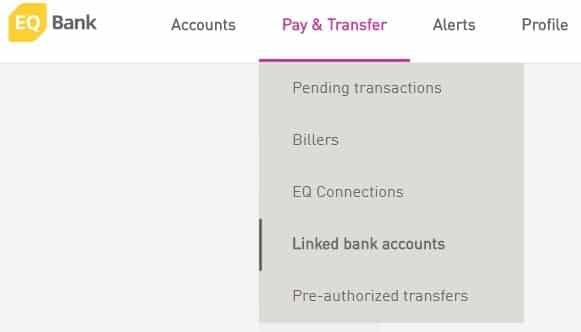
Navigate to the Pay & Transfer section and select the option for linked bank accounts.
Step 2
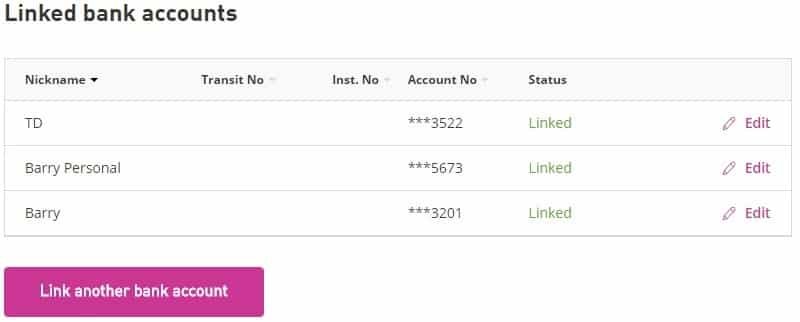
On the linked bank accounts page, find and click the “Link another bank account” option.
Step 3
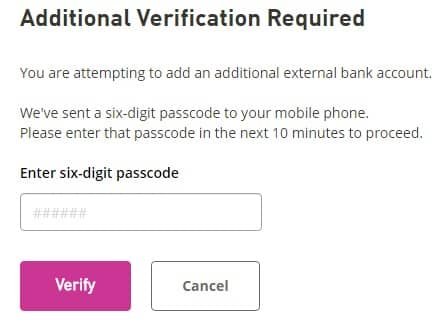
To proceed with linking your account, EQ Bank will send a passcode to your phone. Make sure to verify this code within 10 minutes.
Step 4
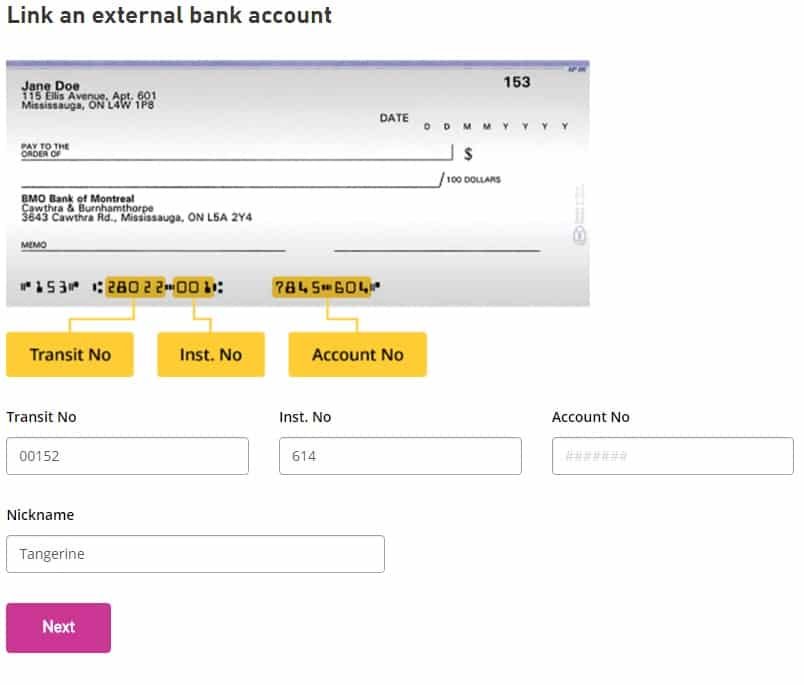
Now, input your Tangerine details. Remember, Tangerine’s Transit number is 00152 and the Institution number is 614. To find your specific Tangerine account number, log into your Tangerine account. Also, note that each account you create in Tangerine has its unique account number, so ensure you’re linking the correct one.
Step 5
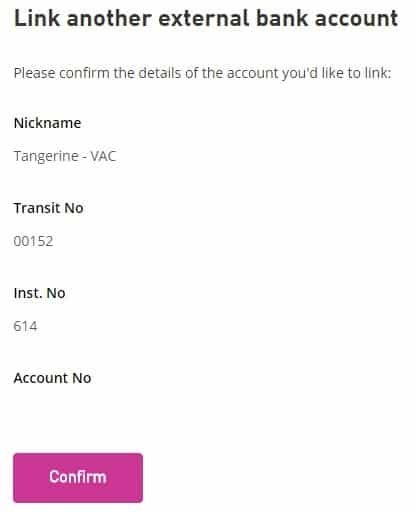
Review and confirm the account details you are linking.
Step 6
You will need to wait 2-3 business days for EQ Bank to transfer small amounts into your Tangerine account. Once this is done, log into your Tangerine account to note these deposits.

Step 7
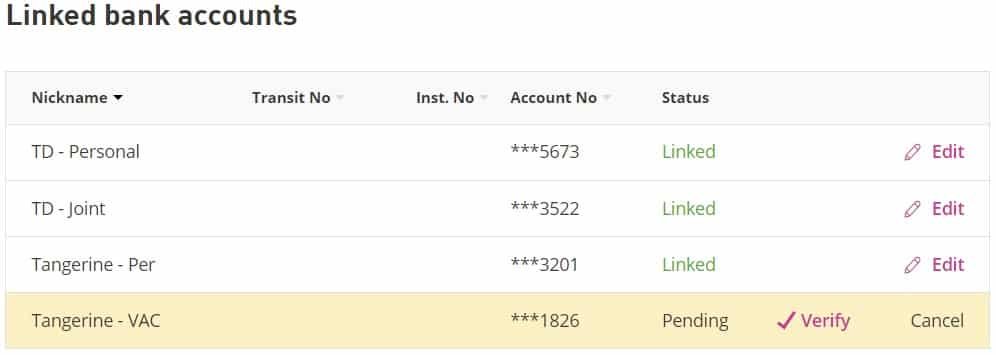
Return to your EQ Bank account to complete the linking process. Go back to the linked bank accounts section where you will see a verification icon next to your new account. Click on it.
Step 8
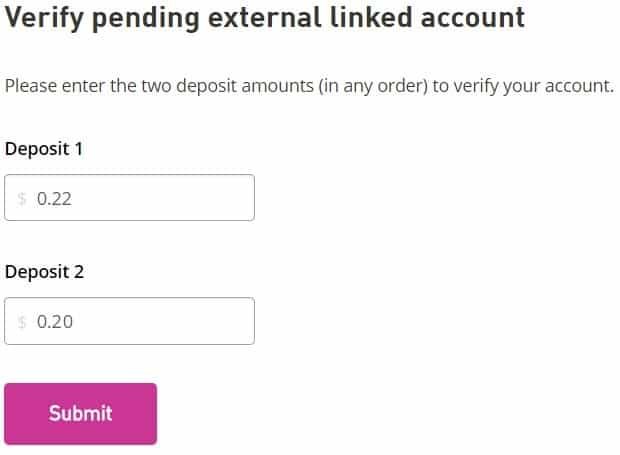
Input the amounts deposited into your Tangerine account and hit submit.
Step 9
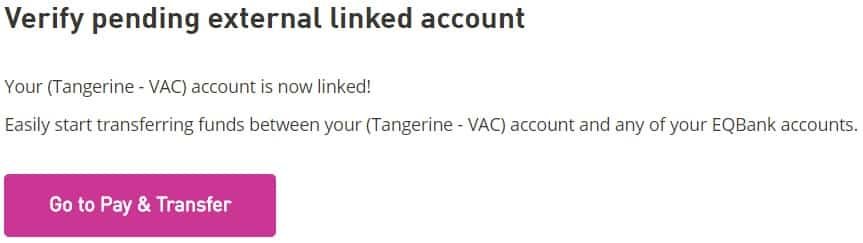
Once completed, you will receive a notification confirming your account linkage. Congratulations! You can now transfer funds effortlessly between your EQ Bank and Tangerine accounts.