
A key strategy for effective money management is to automate your savings. This entails arranging for automatic transfers to ensure that saving becomes your foremost financial priority. While this concept may appear straightforward, many people are unaware of how to establish these automatic transfers.
After attending a presentation by Rob Carrick at the recent Canadian Personal Finance Conference, I felt compelled to create a straightforward guide for setting up automatic payments through Tangerine’s Automatic Savings Program. You will need to have a Tangerine account (here’s my referral link), but the process is largely similar regardless of your bank.
Initiating Your Automatic Savings Program with Tangerine
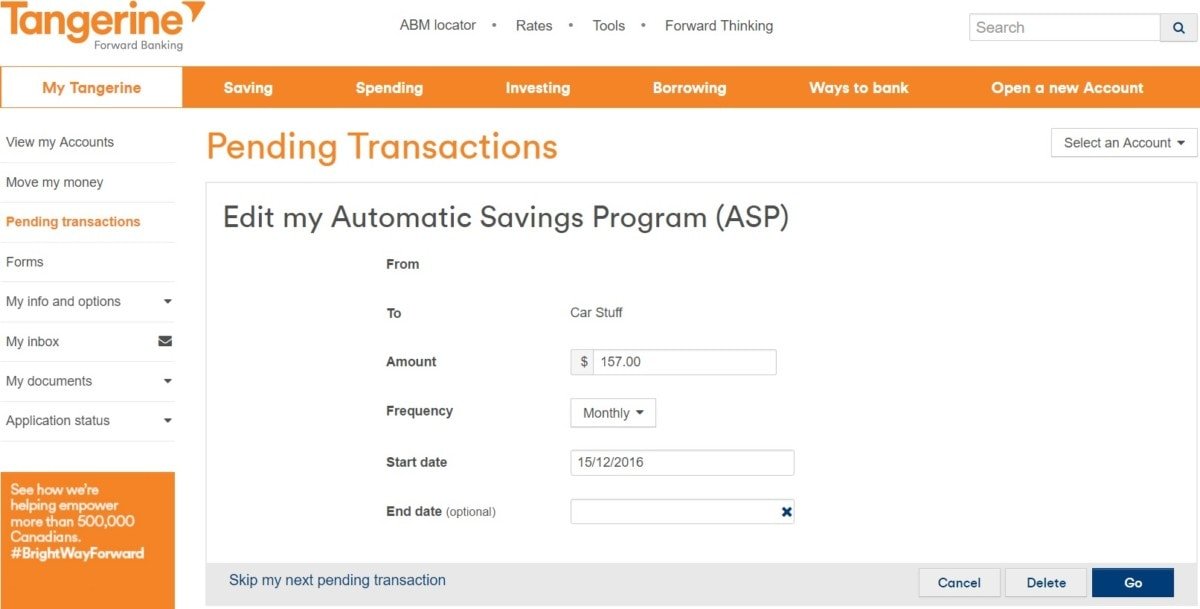
Upon logging into your Tangerine account, you will be greeted with an overview of your accounts, as shown below (I’ve obscured my balances and account details for privacy reasons). Above your account summary, you will notice a grey button with a gear icon labeled start an ASP. Click on that button (I’ve added a prominent yellow arrow to guide you).
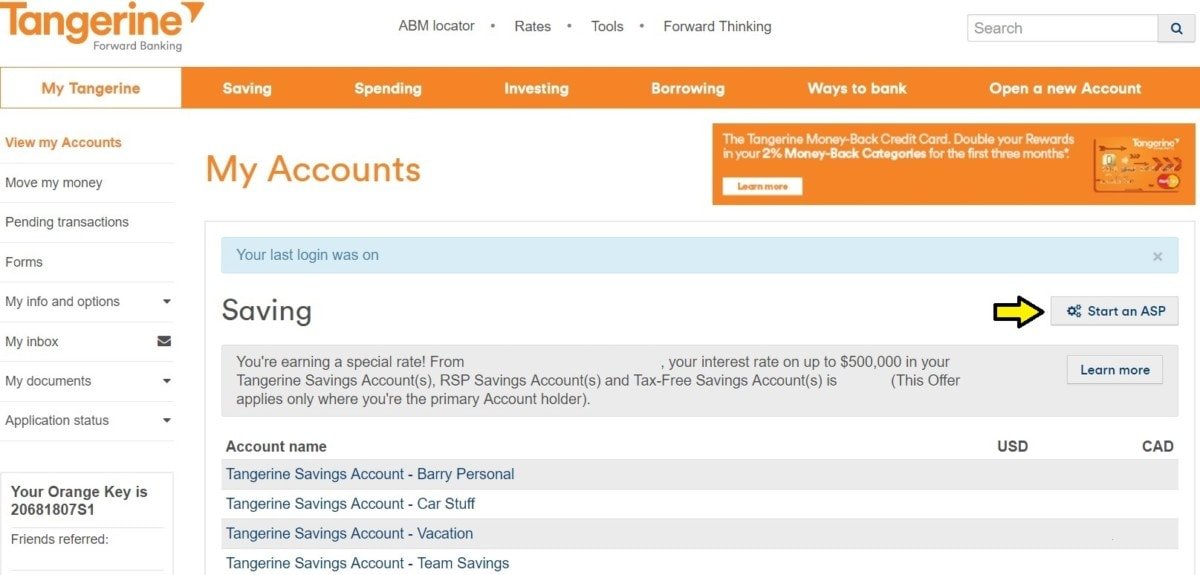
You will now proceed to select various options. Choose the amount you wish to save automatically and the frequency of the transfers. Then, specify the From account (the source of the funds) and the To account (the destination for the deposits). Finally, set the Start date (I typically align this with my pay schedule) and an optional End date. Once you’re satisfied with your selections, click Next.
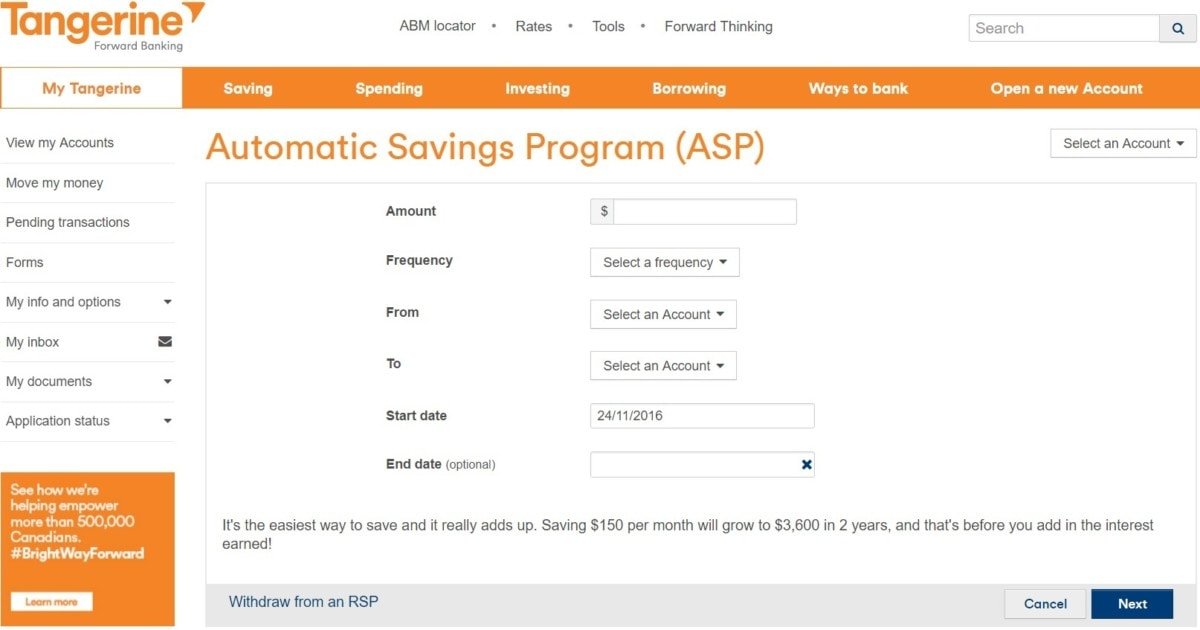
Before finalizing the setup, a confirmation screen will appear. Review all the details to ensure accuracy, and once confirmed, click Confirm. Congratulations! You’ve successfully established your first Automatic Savings Program with Tangerine.
Modifying Your Automatic Savings Program with Tangerine
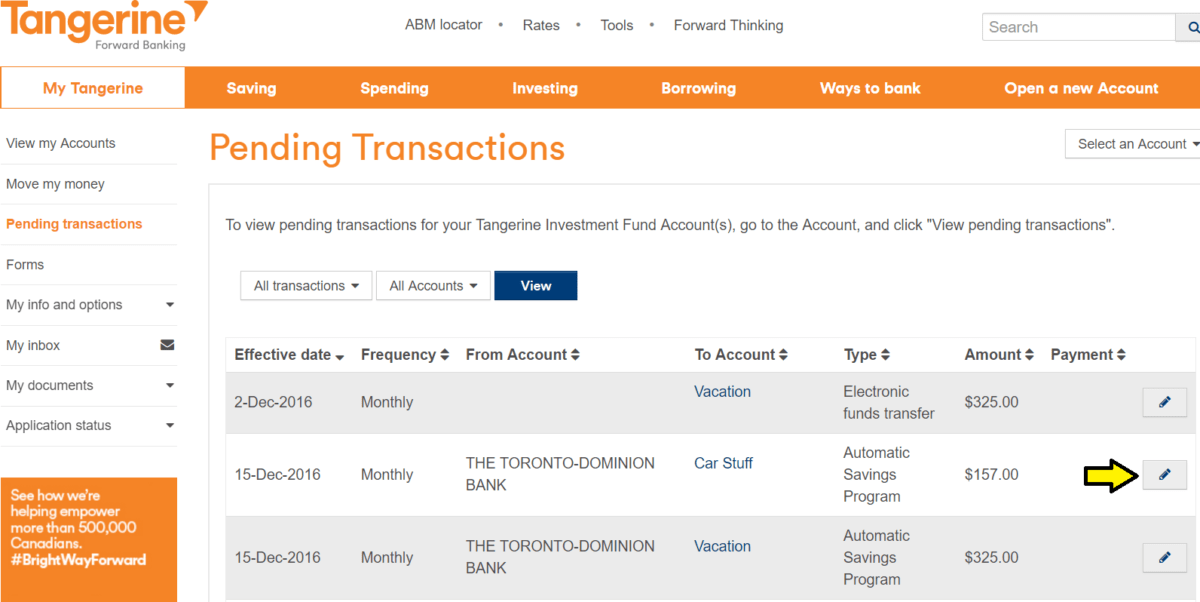
It is natural to need to make changes to your automatic savings program from time to time. To do this, simply click on pending transactions located on the left side of your account dashboard. This will redirect you to a screen showcasing all your pending transactions. Next, click the edit icon (indicated by the arrow below) next to the automatic savings program you want to modify.
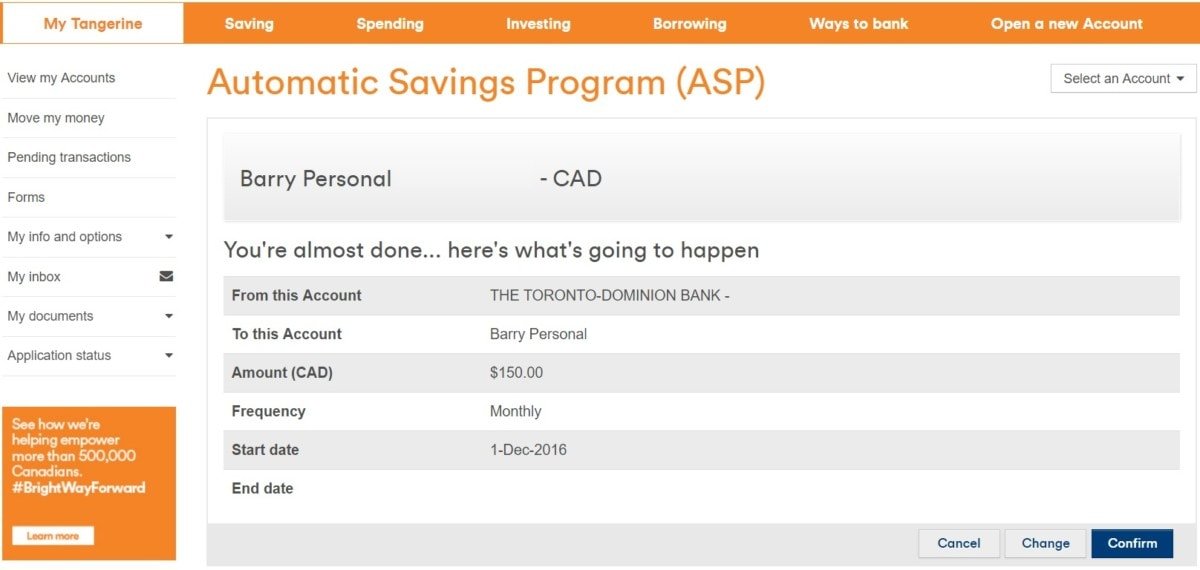
You will be directed back to the page where you initially set up your automatic savings program. This will display your current information, allowing you to adjust as needed (see below). Once you are satisfied with your revised figures or account details, click Go. That’s all there is to it—making changes is just as easy!